Digital Classroom: 2026 Setup & Best Practices Guide
Building a digital classroom in 2026? Discover the best tools, AI features, hybrid setups, equity fixes & real steps to boost engagement and learning outcomes. Practical guide for teachers and schools.
Imagine walking into a classroom where every student has instant access to personalized lessons, teachers pull up interactive visuals in seconds, and absent kids join live from home without missing a beat. That’s not science fiction anymore—it’s how many schools operate in 2026. The digital classroom has moved from “nice to have” to essential, especially after years of hybrid learning proved its value.
Yet setting one up still feels overwhelming for many educators and administrators. Questions about cost, equity, teacher training, and which tools actually work keep coming up. This guide cuts through the noise with clear, up-to-date steps, honest pros and cons, and real-world solutions so you can build something effective without wasting time or money.
Here are the main points you’ll take away:
- A digital classroom blends interactive hardware, learning platforms, and AI to personalize education and lift student performance by up to 23%.
- Hybrid and blended models dominate in 2026, with AI adaptive tools and immersive VR/AR becoming standard features.
- Equity remains the biggest hurdle—offline access, low-bandwidth options, and teacher support are non-negotiable.
- Start small with strong Wi-Fi, one solid LMS, and a pilot device program—then scale thoughtfully.
- Schools that plan for privacy, training, and gradual rollout see the strongest long-term results.
What Is a Digital Classroom?
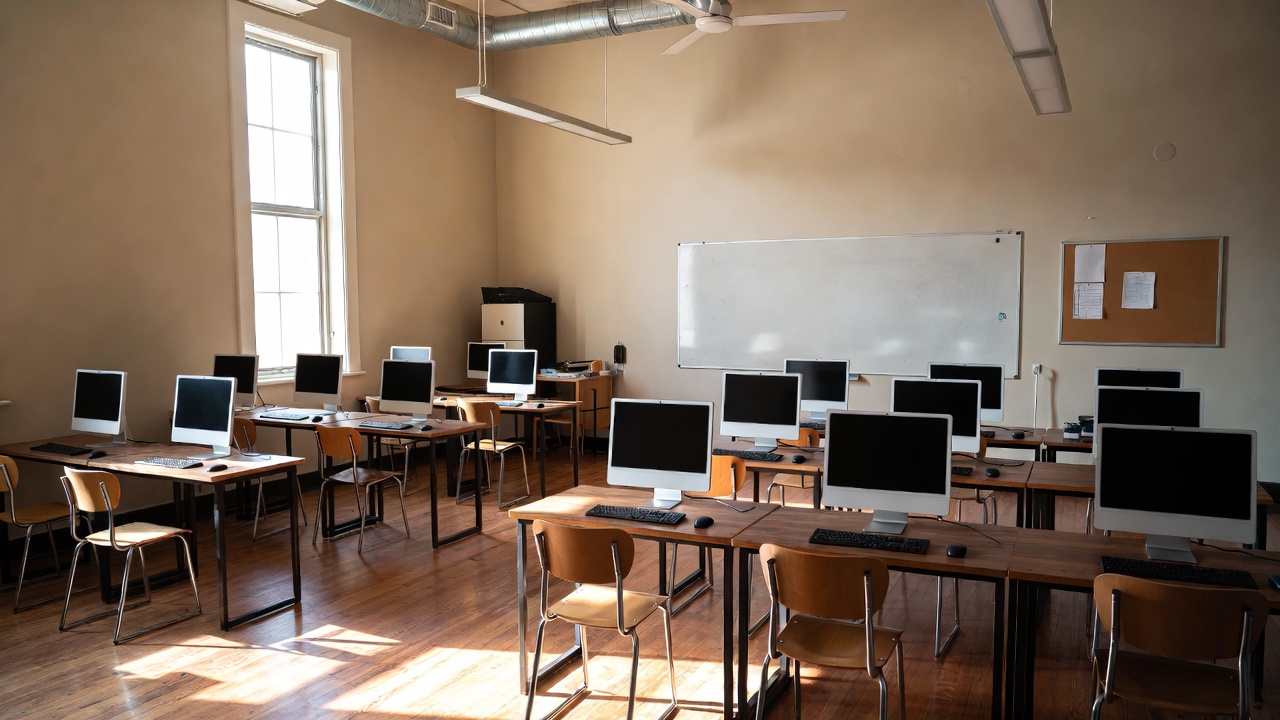
A digital classroom uses technology to make teaching and learning more interactive, flexible, and student-centered. At its core you have student devices (laptops, tablets, Chromebooks), an interactive display or smart board at the front, reliable internet, and a central learning management system that holds assignments, quizzes, resources, and communication.
Unlike a traditional classroom where everything is paper-based and teacher-led, a digital one supports real-time collaboration, instant feedback, and access to vast online content. Hybrid versions let students participate remotely while others are in the room—often called bidirectional or synchronous hybrid.
The shift accelerated during the pandemic, but 2026 versions stand out because AI now tailors content to each learner’s pace and style, making the experience feel truly personal.
Why Schools Are Going Digital in 2026
Education markets show the direction clearly. Spending on digital classroom tools reached $152–207 billion in 2024–2025 and is projected to exceed $339 billion by 2032. Schools aren’t spending that kind of money without reason.
Students in tech-integrated environments often perform 23% better on assessments. Engagement rises because lessons feel dynamic—polls, interactive simulations, group editing in real time. Teachers gain visibility into who understands the material and who needs extra help.
Hybrid flexibility remains critical. Families value options for sick days, travel, or health concerns. Administrators see reduced absenteeism and better parent communication. In short, digital classrooms help schools meet modern expectations without sacrificing quality.
Core Benefits of Digital Classrooms
Personalized learning stands out. AI platforms adjust difficulty and suggest resources based on performance. A student struggling with fractions gets extra practice automatically, while an advanced learner moves ahead.
Collaboration improves dramatically. Multiple students can edit the same document simultaneously, join discussions via chat or voice, or contribute to shared whiteboards from anywhere.
Data gives teachers powerful insights. Dashboards show completion rates, quiz trends, time spent on tasks—information that used to take hours to gather. Administrators track school-wide patterns to adjust support.
Accessibility expands. Text-to-speech, closed captions, adjustable font sizes, and multilingual content help students with disabilities or language barriers participate fully.
Essential Tools & Technologies 2026
Start with the basics:
- Student devices: Chromebooks remain popular for their low cost, fast boot, and easy management. Tablets work well for younger learners or drawing-heavy subjects.
- Interactive display: Smart boards or large touch panels replace traditional whiteboards. Look for 4K resolution, built-in Android/Windows, and annotation tools.
- Learning management system: Google Classroom (free, simple) suits smaller setups. Microsoft Teams or Canvas offer more advanced features for larger districts.
Emerging additions make a difference:
- AI adaptive platforms: Tools that generate practice questions, explain concepts in different ways, or predict when a student might struggle.
- VR/AR headsets: Affordable standalone options let students explore historical sites, dissect virtual frogs, or manipulate 3D molecules.
- Document cameras: Still essential for showing handwritten work or physical objects to the whole class.
Step-by-Step Setup Guide for Schools
- Assess needs and budget Survey teachers and students. Identify core subjects that would benefit most. Set realistic funding—many schools start with one grade level or department.
- Build reliable infrastructure Upgrade Wi-Fi to cover every classroom. Ensure power outlets and device charging stations. Choose a mobile device management system to push updates and control access.
- Select and pilot an LMS Pick one platform and test it with a small group for a semester. Train a few enthusiastic teachers first—they become champions who help others.
- Equip classrooms gradually Begin with interactive displays in core rooms, then add student devices. Use grants or refurbished options to keep costs down.
- Invest in teacher training Offer ongoing workshops—not one-off sessions. Focus on practical use: creating assignments, running polls, giving feedback digitally.
- Launch, monitor, and adjust Collect feedback every quarter. Track attendance, engagement, and assessment data. Refine based on what works.
Addressing Major Challenges
The digital divide remains real. Not every student has internet at home. Solutions include offline-capable apps, downloadable content, and community Wi-Fi hotspots.
Teacher readiness varies widely. Some embrace change; others feel overwhelmed. Pair tech-savvy mentors with novices. Provide release time for training.
Data privacy worries parents and administrators. Choose platforms with strong compliance (FERPA, GDPR). Limit data collection to what’s necessary and be transparent.
Cost pressures never disappear. Phase implementation, apply for edtech grants, and calculate ROI through improved outcomes and reduced paper/printing expenses.
Real-World Examples & Case Studies
One urban district rolled out Chromebooks and Google Classroom across middle schools. After two years, absenteeism dropped 12% and math scores rose 18% in pilot classes.
A rural school used low-bandwidth LMS features and pre-loaded tablets for offline work. Students in remote areas stayed current during bad weather—something impossible before.
A high school added affordable VR headsets for science. Biology students explored cell structures in 3D, leading to higher retention and more questions in class.
These cases show results come from thoughtful planning, not just buying equipment.
Future-Proofing Your Digital Classroom
Plan for AI growth. Look for platforms that already include adaptive features so you’re not starting from scratch later.
Keep equity central. Regularly audit access and outcomes by subgroup. Adjust as needed.
Build in flexibility. Choose tools that support both in-person and remote participation without major reconfiguration.
Review annually. Technology moves fast—set aside budget and time to evaluate upgrades.
Frequently Asked Questions
What is a digital classroom?
A digital classroom integrates interactive displays, student devices, learning management systems, and cloud tools to deliver engaging, personalized, and often hybrid learning experiences.
What are the main benefits of a digital classroom?
Students engage more actively, receive personalized content through AI, collaborate in real time, and access resources anywhere. Studies show performance gains of up to 23% in tech-rich environments.
What tools are needed for a digital classroom?
Core items include student laptops or tablets, an interactive whiteboard or smart panel, reliable Wi-Fi, and an LMS like Google Classroom or Microsoft Teams. Add AI or VR for advanced features. (318 characters)
How much does a digital classroom cost?
Expect $500–$2,000 per student for devices and software, depending on scale. Many schools start small, use grants, or choose affordable Chromebooks and free LMS platforms to manage expenses.
How can schools overcome the digital divide?
Offer offline-capable apps, device loan programs, low-bandwidth modes, community internet access points, and printed backups when necessary to ensure all students can participate fully.
Is AI necessary in a 2026 digital classroom?
Not required to begin, but AI tools for adaptive lessons, instant feedback, and content generation are becoming standard and deliver measurable gains in personalization and efficiency.
Start with one clear goal this term—maybe stronger Wi-Fi in two classrooms or piloting a simple LMS with one grade. Small, focused moves build momentum and confidence far better than trying to change everything at once. Your students—and you—will feel the difference sooner than you think.