Synchronous Learning: How to Boost Engagement in Live Online Sessions
Is your virtual classroom feeling flat? Learn practical strategies to transform synchronous learning sessions from boring lectures into dynamic, engaging experiences for everyone.
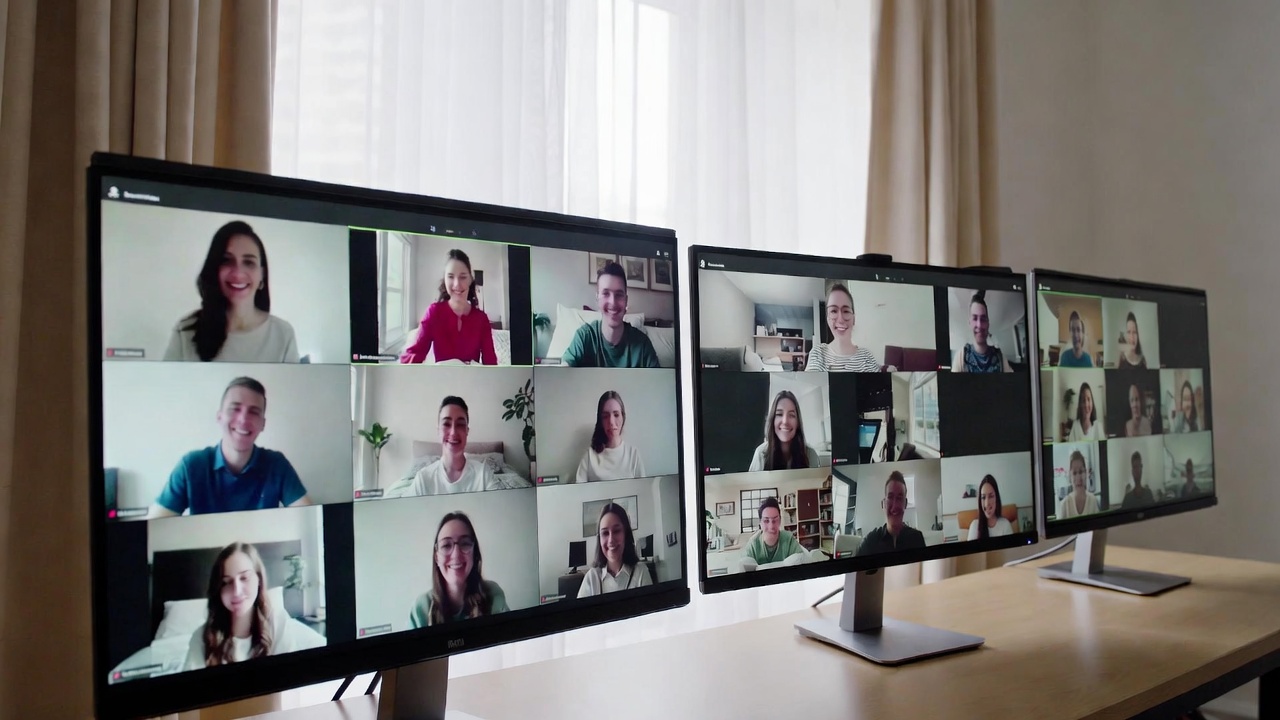
You’ve prepared the slides, sent the calendar invite, and logged in early. But as your live online session starts, you’re met with a gallery of blank screens, muted microphones, and that palpable sense of digital detachment. Sound familiar?
This is the modern challenge of synchronous learning. It’s the practice of bringing people together in real-time using video and digital tools, but too often, it feels like a one-way broadcast into the void. It doesn’t have to be this way. When done intentionally, live online sessions can be spaces for vibrant discussion, genuine connection, and powerful skill-building.
This guide is for every educator, trainer, and team leader who wants to move beyond just using the technology and start mastering the art of the live digital room. We’ll skip the basic dictionary definitions and dive straight into the practical strategies that make synchronous learning not just work, but thrive.
Let’s start with four key ideas that will frame everything we discuss:
-
Live sessions are for interaction, not just information delivery. Save the lectures for recorded videos.
-
“Zoom fatigue” is a real design problem, not an inevitability. We can structure sessions to fight it.
-
Success hinges on thoughtful planning for inclusion, clear tech use, and checking for understanding.
-
The most effective learning often blends live moments with self-paced work in a hybrid model.
What is Synchronous Learning? Defining the Modern Classroom
At its core, synchronous learning simply means people are learning together at the same time, even if they’re in different places. Think of a live webinar, a virtual workshop, or a college seminar held over Zoom.
The most important question isn’t really “what is it?” but “when should I use it?” To answer that, it helps to see it alongside its partner: asynchronous learning.
Synchronous vs. Asynchronous Learning: Picking the Right Tool
Instead of seeing them as rivals, view them as different tools in your toolbox.
-
Synchronous Learning is live and collaborative. It’s best for discussions, Q&A, group problem-solving, building community, and practicing skills with immediate feedback. It requires scheduling.
-
Asynchronous Learning is self-paced and flexible. It’s perfect for absorbing foundational content (like watching a video or reading an article), reflecting individually, and completing tasks on one’s own schedule.
The magic happens when you use both strategically. For example, participants might watch a recorded lecture (asynchronous) on their own time, then join a live session (synchronous) to debate the ideas in small groups.
So, what makes a live session truly effective? It’s more than just hitting “start meeting.” It’s built on real-time conversation, a shared purpose for being together, opportunities for immediate clarification, and, most importantly, a facilitator who guides the experience, not just presents slides.
The Strategic Value: Why Getting This Right Matters
Why go through the hassle of coordinating schedules and battling tech glitches? Because when synchronous learning clicks, it delivers unique benefits that other formats struggle to match.
First, it builds community and combats the isolation of online learning. Seeing faces and hearing voices in real-time creates a sense of shared purpose. Research consistently shows that this “social presence” is a major factor in how satisfied and motivated learners feel, helping them stick with a program. A quick, informal check-in at the start of a session (“Share one word for how you’re feeling today in the chat”) can work wonders.
Second, it’s the best format for untangling complex ideas together. Have you ever read something confusing and wished you could just ask the author a question? Synchronous sessions provide that live Q&A forum. They allow for spontaneous debate, collaborative brainstorming on a digital whiteboard, and working through tricky problems as a team. The instructor can read the room, clarify on the spot, and steer the conversation where it’s needed most.
Finally, it’s essential for developing real-time, practical skills. You can’t learn to give compelling feedback, negotiate, or lead a meeting just by reading about it. Synchronous sessions are the practice field. They’re where a language learner converses with a native speaker, a sales team role-plays a difficult client call, or a coding student debugs a program with their instructor looking on.
The Engagement Challenge: Moving Beyond the Lecture
Let’s address the elephant in the virtual room: the dreaded “Zoom fatigue.” That feeling of mental exhaustion after back-to-back video calls is real, and it’s a major barrier to engagement. Stanford University researchers pinpointed reasons why video chats are so draining: intense, close-up eye contact, constantly seeing your own face, sitting stiffly, and the extra brainpower needed to interpret delayed nonverbal cues.
The good news? We can design our sessions to combat this.
Here are a few simple design fixes:
-
Build in mandatory “camera-off” breaks every 20-30 minutes for 2-3 minutes.
-
Encourage people to use speaker view instead of gallery view to reduce visual clutter.
-
Explicitly permit participants to listen in on audio-only while stretching or moving around.
Fighting fatigue is step one. Step two is actively designing for interaction. If your session is a 60-minute monologue, you’ve lost. The goal is to shift from passive viewing to active doing.
Here are interactive techniques that create energy:
-
Structured Breakout Rooms: Don’t just send people into small groups; give them a clear, timed task with a deliverable. “In your rooms for 7 minutes, list the three biggest challenges on this Miro board and choose one to present back.”
-
Live Collaborative Documents: Use a shared Google Doc, Jamboard, or Miro board as your main “workspace.” Have participants contribute ideas, categorize sticky notes, or annotate text together in real-time.
-
Polls and Quick Quizzes: Use your platform’s poll feature or a tool like Mentimeter to ask a provocative question, check for understanding, or vote on a discussion direction. It’s a instant engagement pulse-check.
-
Harness the Chat as a Backchannel: Designate it for questions throughout. Have a co-host monitor and group similar questions. This lets quieter participants engage without having to “interrupt.”
True engagement also means everyone feels they can participate. This is where inclusive design comes in.
To create a more equitable session, try these tips:
-
Offer Multiple Ways to Participate: Not everyone is comfortable unmuting. Validate contributions via chat, reaction emojis (thumbs up, “raise hand”), or a collaborative document.
-
Use Live Captioning: Turn on auto-captions (available in most major platforms). It aids comprehension for non-native speakers, those in noisy environments, and participants with different learning preferences.
-
Set Clear Norms Early: “We’ll use the ‘raise hand’ feature to take turns speaking.” “Please add your questions in the chat as they come up.” This creates a fair and predictable environment.
The Technology Toolkit for 2024
The right tools shouldn’t be the star of the show, but they are essential stagehands. The landscape has moved far beyond just choosing Zoom or Teams.
When choosing your core platform, think about these key features:
-
Breakout Room Capacity and Control: Can you easily pre-assign and move between rooms?
-
Built-in Interactive Tools: Does it have a decent whiteboard, poll, and Q&A feature?
-
Accessibility: How good are its native live captioning and recording transcription services?
Often, your main platform won’t do everything perfectly. That’s where companion tools come in.
-
For Deeper Engagement: Mentimeter or Slido for advanced polls and word clouds.
-
For Visual Collaboration: Miro or Mural for infinite, creative whiteboarding.
-
For Accessibility and Notes: Otter.ai or Rev can provide highly accurate live transcriptions.
And now, a new assistant is entering the scene: Artificial Intelligence. While still emerging, AI can help by generating a summary of the key discussion points, translating captions into other languages in near real-time, or even providing the facilitator with analytics on participation patterns.
Assessment and Feedback in Real-Time
How do you know if your brilliant session actually worked? It’s not enough to just hope people liked it. We need to check for understanding and gather feedback while the learning is happening.
Formative assessment is about taking the temperature during the session to adjust your teaching. It doesn’t have to be a graded test.
-
The “Minute Paper”: In the last minute, ask everyone to type into the chat: “What was your biggest takeaway today? What’s still unclear?”
-
Exit Ticket Poll: Launch a quick multiple-choice poll: “On a scale of 1-5, how confident do you feel applying today’s strategy?”
-
Peer Feedback in Breakouts: Structure a breakout room task where participants use a simple rubric to give each other feedback on a practice exercise.
Evaluating the session’s overall effectiveness looks at the bigger picture. Move beyond the simple “satisfaction survey.” Ask questions that link to real outcomes a week later: “Have you used the technique we practiced? What was the result?” This measures not just enjoyment, but impact.
Best Practices for Facilitators and Learners
A great session is a partnership. Here’s what both sides can do to make it successful.
For the Facilitator: A Checklist
-
Before: Send an agenda and any pre-work. Test your tech and have a backup plan (like a shared Google Drive link).
-
During: Start with energy and a clear overview. Facilitate, don’t just present. Use participants’ names. Manage time and the conversation flow deliberately.
-
After: Share the recording, a summary of key points, and any collaborative documents created. Follow up on unanswered questions.
For the Participant: How to Be a Great Online Learner
Your mindset matters just as much. Come prepared, as you would for an in-person meeting. Close distracting tabs and apps. Choose to engage—use your video when possible, contribute to the chat, and be present. Advocate for your needs respectfully if something isn’t working. You own your learning experience, too.
Synchronous Learning in Context: The Blended Future
The most forward-thinking approach sees synchronous learning not as a standalone event, but as a powerful chapter within a larger blended learning story. The model is becoming the standard: use asynchronous methods for flexible content delivery and individual reflection, and reserve precious synchronous time for the things only live interaction can provide—clarification, collaboration, debate, and community-building.
This intentional blending respects people’s time and different learning paces while maximizing the value of the moments you have together live in Synchronous Learning.
Transforming your synchronous learning sessions from flat to fantastic is a deliberate choice. It starts by picking one pain point—maybe it’s silent breakout rooms or low energy—and applying just one strategy from this guide. Maybe next session, you’ll start with a collaborative icebreaker on a Jamboard, or you’ll build in a dedicated “cameras off” break.
The goal isn’t perfection. It’s progress. It’s about moving from simply hosting a call to designing an experience with Synchronous Learning where real human connection and learning can flourish, even through a screen. Your virtual classroom is ready to come alive.
Frequently Asked Questions
What is the main difference between synchronous and asynchronous learning?
The core difference is timing and interaction. Synchronous learning happens in real-time, like a live webinar or video call, where everyone interacts at the same moment. Asynchronous learning is self-paced; people access materials like pre-recorded videos or discussion forums on their own schedules, and interactions happen over hours or days, not instantly.
What are the biggest disadvantages of synchronous online learning?
The main challenges are logistical and human. Scheduling across different time zones is difficult. Participants and facilitators can experience “Zoom fatigue” from intense screen time. It requires reliable internet access for everyone, which isn’t always equitable. Finally, facilitating deep, engaging discussions in a large digital group is often harder than doing it in person.
What are examples of synchronous learning activities?
Common activities include live virtual lectures with interactive Q&A sessions, facilitated small-group discussions in breakout rooms, real-time collaborative projects on a shared whiteboard or document, interactive software training workshops, and role-playing exercises for skills like sales or counseling.
How can you make synchronous learning more engaging?
Make interaction the default, not the exception. Use polls and quizzes every 10-15 minutes. Design short, specific tasks for breakout rooms with clear goals. Leverage the chat for continuous questions and comments. Begin and end with a social, human connection, like a quick check-in or reflection. Variety and participant action are key.
Is synchronous learning as effective as in-person learning?
Research indicates that well-designed synchronous learning can be just as effective as in-person learning for achieving knowledge and skill-based outcomes. However, replicating the nuanced social bonding, spontaneous hallway conversations, and full range of non-verbal cues of a physical classroom remains a significant and ongoing design challenge for online facilitators